Talent and Learning and Development managers at enterprise organizations deal with real operational pressure. Most L&D teams handle more requests than they can take on, lack clear visibility into capacity, and struggle to show results in business terms.
To solve these issues, you need tools that bring order to intake, shorten content cycles, and give you a clear view of demand, workload, and impact.
In this article, we’ll review the best AI tools for L&D managers who want to crush their goals in 2026.
8 Best AI Tools for L&D Managers in 2026
Here are eight AI tools L&D managers can use to manage work, create content, and support learners:
Cognota
Cognota is an AI-powered LearnOps platform for learning and development (L&D) teams. It brings training intake, project management, capacity planning, content design, and measurement into one system.
It’s built for enterprise organizations with 5000+ employees that handle a high volume of learning requests and programs. Cognota helps L&D managers match learning demands with capacity, standardize workflows, and connect learning activities to business outcomes.
Cognota also uses artificial intelligence to help L&D managers see priorities, risks, and impact across their learning portfolio. Our LearnOps AI offers instant access to critical data and generates actionable insights through a conversational AI interface. This speeds up decision-making and boosts team productivity with real-time analytics and data-driven support.
Here are Cognota’s key features that help you manage demand, deliver programs, and prove business impact:
Training Intake and Requests Management for Defined Priorities

In most organizations, training requests arrive through email, chat, or meetings. Nothing is standardized, so L&D leaders struggle to see what requests are incoming and what to prioritize.
Cognota offers training intake and request management so all requests go through one standardized process. Stakeholders use the same forms, L&D sees the full pipeline, and decisions are easier to justify. LearnOps AI provides real-time analytics on intake data to help teams identify priorities and surface actionable insights faster.
Key features include:
- Branded request portal for all learning needs
- Configurable forms by business unit or training type
- Standard questions for goals, audience, deadlines, and risks
- Internal-only sections for triage notes and early assessment
- Default request owners with automatic email notifications
- Status control for in review, approved, waitlisted, or declined
- One-click conversion from an approved request into a project
For example, your sales team submits a product training request through the portal. The form automatically captures business goals, target audience, timeline, and expected impact. Your L&D team reviews it alongside 15 other pending requests, sees that three are higher priority based on strategic alignment, and marks this one as “waitlisted” with a clear explanation.
The sales leader gets an automated notification with the status and reasoning. When capacity opens up in Q2, you convert the approved request into a project with one click, and all the context moves with it.
Centralized Project and Task Management for Reliable L&D Delivery
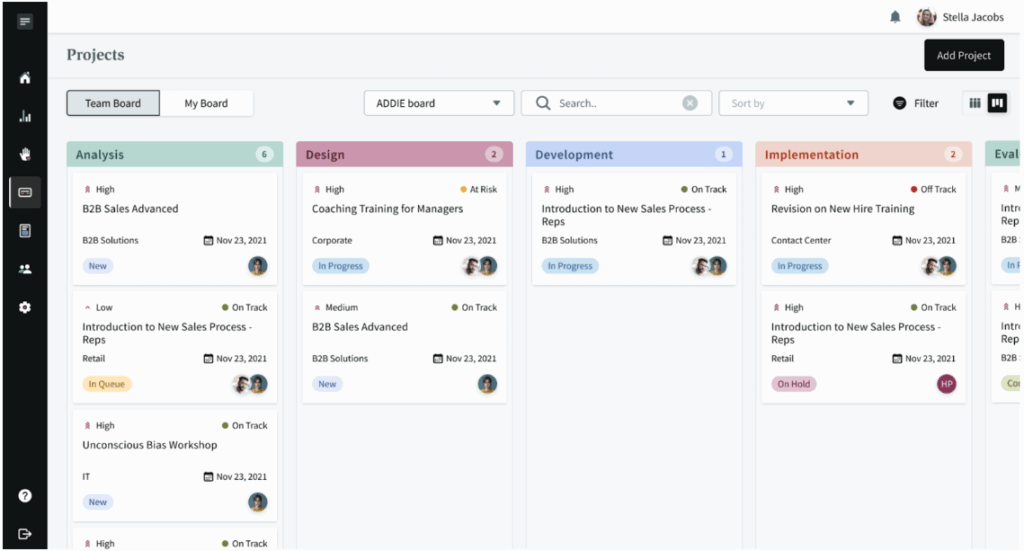
Many L&D teams track project status in separate sheets. This makes it hard to see what is active, what is blocked, and who owns what.
With Cognota’s purpose-built project management for LearningOps, you can see all work in one place. You can view every project, its progress, and the tasks linked to it from one dashboard. LearnOps AI helps surface risks and priorities across your project portfolio so teams can act on what matters most.
Cognota offers two views for all projects:
- List view (table)
- Board view (Kanban)
You can switch between them based on how you like to review work. Cognota also has project cards showing key details like status, due date, and priority. You can drag and drop cards between stages, or open a project and update its stage inside the detail view.
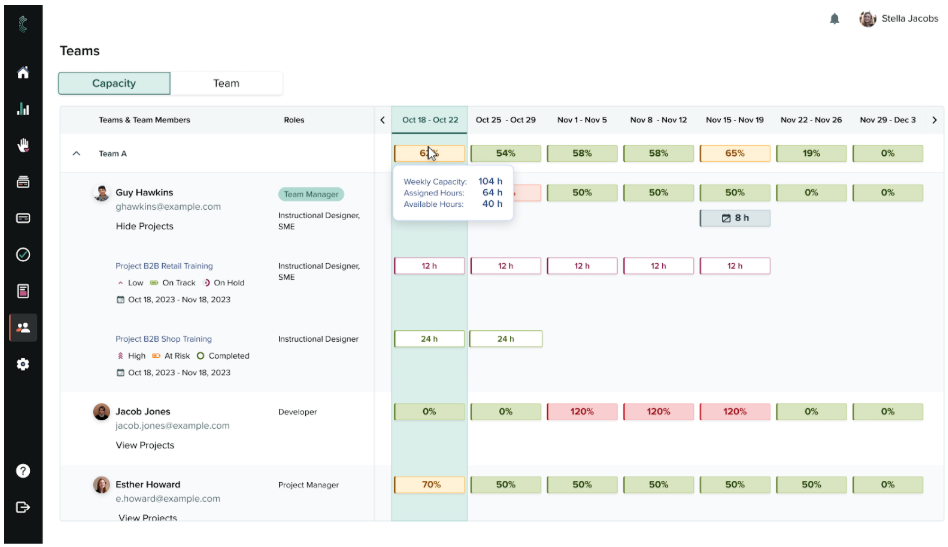
Capacity and Resource Management to Prevent Team Overload
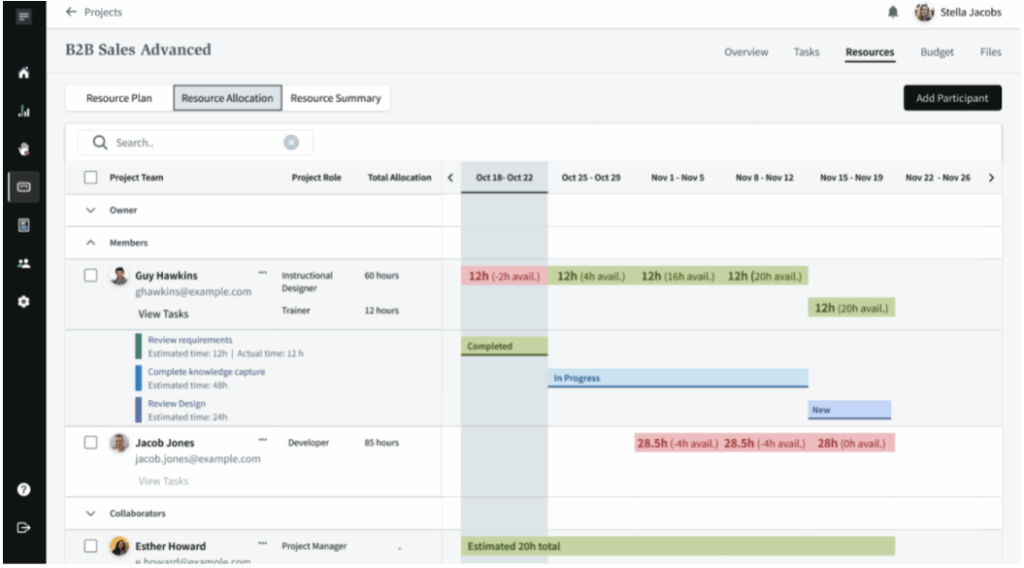
Without a clear view of capacity, work is assigned by guesswork. Teams overcommit, high-value work gets delayed, and managers only see overload when deadlines slip.
Cognota’s capacity and resource management allows you to see who is working on what and how many hours they still have available. You can see the load by person, role, and project. LearnOps AI provides instant access to capacity data and helps identify potential bottlenecks before they impact delivery.
Here’s what you see in the resource view:
- Team members assigned to each project
- Weekly hours allocated for every person
- Remaining available hours
- Load split across internal teams and vendors
- Capacity filtered by project, program, or business unit
For example, your sales team requests a new product training module needed in three weeks. Cognota shows your instructional designers already have 120 hours committed but only 80 hours available in that timeframe. You can now decide: move a lower-priority project back two weeks, bring in a contractor for 40 hours, or tell sales the module will be ready in five weeks instead of three.
Program and Portfolio Views to Track Related Initiatives
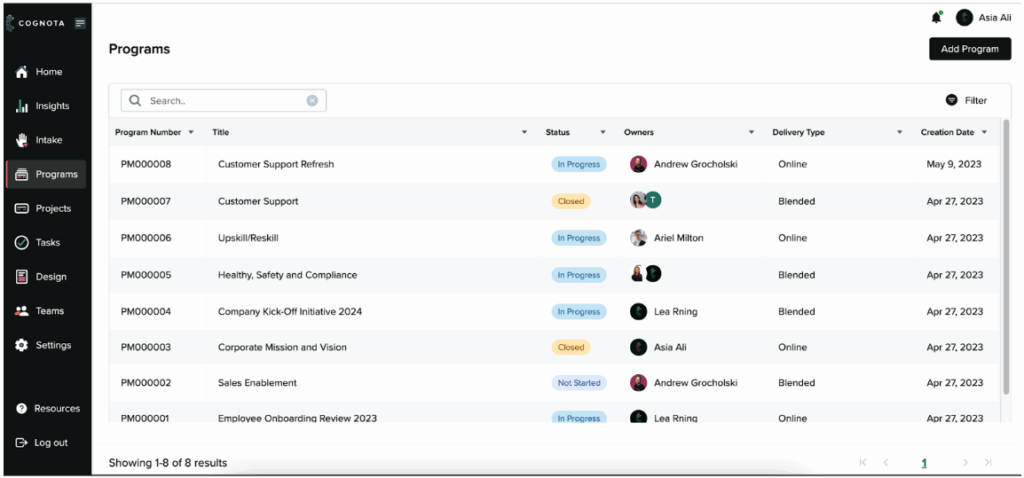
Most L&D teams run several related projects simultaneously. Without a shared view, it’s hard to answer simple questions like “How is our compliance program doing overall?”
Cognota’s programs feature lets you group related projects together and track their progress in one view. LearnOps AI helps by surfacing risks, highlighting delays, and showing where attention is needed across the entire program, not just within individual projects.
Here’s what a program includes:
- Program name and description
- Program owners and stakeholders
- Status and delivery type (e.g., virtual, blended)
- All linked projects in a single list
- High-level metrics on progress and completion
For example, you can create a “Risk and Compliance” program and link projects such as annual mandatory training, regional policy updates, and role-specific modules. AI highlights risks and progress across the group, so you have one clear view to discuss status with senior leaders in people, legal, or compliance.
Design and Authoring for Structured Learning
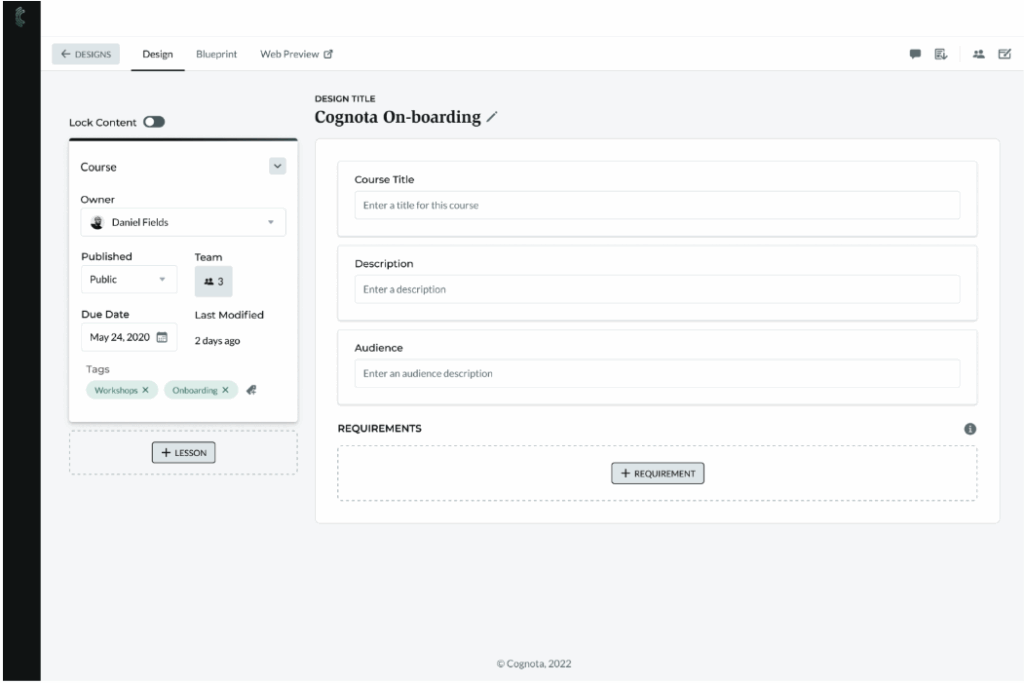
Enterprise L&D teams often face a content governance problem. SMEs build training in their own way, formats are inconsistent across business units, and there’s no standard process to ensure quality before content goes live.
Cognota gives you templates and blueprints that standardize how content gets built. SMEs, business partners, and facilitators follow the same structure, so every course meets quality standards without L&D rebuilding everything from scratch.
Here’s what you can do:
- Use templates to standardize layout, branding, navigation, and available asset types
- Capture course requirements (need, performance goal, audience, delivery plan) inside the course
- Build courses using hierarchy (course → lesson → topic) and governed assets (text, files, embeds, knowledge checks, assessments)
- Review content in blueprint view for stakeholders and web preview for learner experience
- Publish via share link, SCORM export for learning management systems, or export to PDF and PowerPoint
For example, your sales enablement team has 15 regional trainers creating product training. Instead of getting 15 different formats that your team needs to fix, you provide a standard template. Trainers build content that’s already structured correctly, and you can review and approve it in Cognota before it goes to your LMS.
Insights, ROI and Evaluation for Executive-Ready Reports
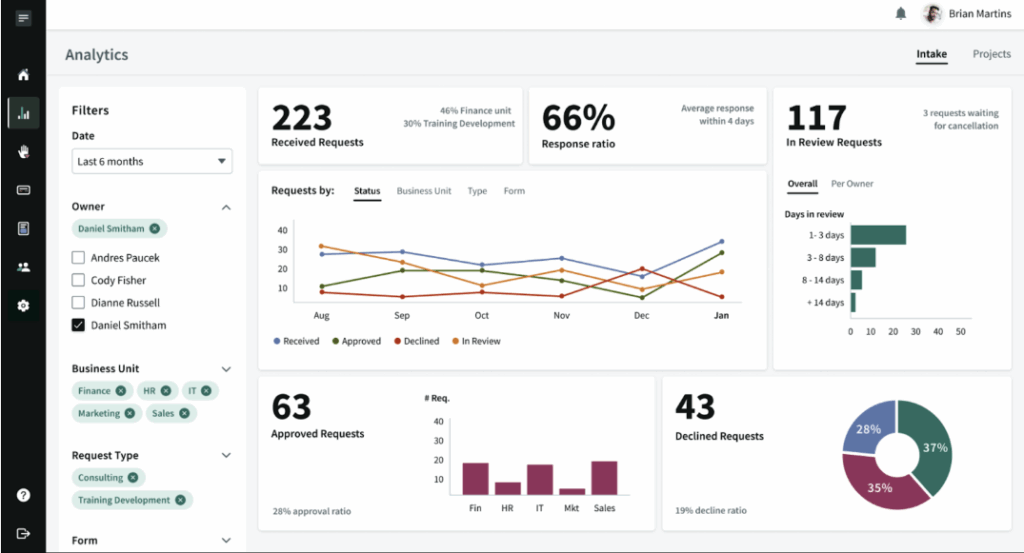
When important metrics like request volume, approval rates, and project status live in separate tools like slides and spreadsheets, ROI reports take days to assemble.
Cognota’s Insights feature centralizes your demand and delivery data in one place. You can filter by date range, owner, business unit, request type, or form to see how work moves from intake through delivery. LearnOps AI streamlines this further by providing instant access to critical data. L&D leaders can quickly see priorities, risks, and impact across their learning portfolio. The feature includes two dashboards: Intake Insights and Project Insights.
Intake Insights
Intake Insights shows you where demand is coming from and how your team responds. You can track:
- Requests by status
- Requests by business unit
- Requests by form
- Requests left “in review” for several days
- Approved versus declined requests
- Reasons for decline
This tells you which teams send the most requests, how fast you’re responding, and where your intake process breaks down.
Project Insights
Project Insights shows you delivery progress, risk levels, and workload across active projects. You can track:
- Total number of projects
- Projects by priority
- Projects by health status
- Projects by stage
- Tasks by completion status
This makes it easy to report what your team is working on and where bottlenecks exist.
Before using Cognota, the L&D team at the University of Phoenix relied on guesswork to report their work. As one University of Phoenix team member shared: “Now we can say we worked on 48 projects, completed 11, and received 12 new requests—before, we could only guess.”
This shift from estimation to precision matters when you’re justifying budgets and proving value to executives. LearnOps AI takes this further by instantly surfacing these metrics and highlighting which projects need attention, which requests are stalling, and where your team’s capacity is at risk.
For example, before a quarterly business review, an L&D manager can filter the last six months of data in Cognota. Intake Insights reveals that 40% of requests are stuck in review for more than eight days. Project Insights shows one compliance program has the highest number of at-risk tasks. The manager can include these charts in the executive deck to justify tighter intake criteria and additional vendor budget.
Cognota Pros and Cons
Pros
- AI-supported visibility from intake through project delivery and impact measurement
- Capacity views with AI insights to balance workload and avoid overload
- Governance through standardized intake, templates, and workflows
- Portfolio metrics and ROI data enhanced by AI-generated analysis
- Standardized training requests across business units with clearer demand patterns
- Project visibility through list and board views, with AI highlighting risks and delays
- Smooth collaboration with business partners, SMEs, and vendors
Cons
- Learning curve, but the support team is available to help with any issues
- More suitable for larger teams
Cognota Pricing
Cognota offers custom pricing depending on your use case.
Cognota User Reviews
Review #1: “I would say the easy-to-understand UI and configuration portal make it one of the easiest tools I’ve helped implement in my career. It doesn’t try to reinvent the wheel. It uses the best methods available to get your L&D on track as efficiently as possible.”
Review #2: “I like that my customers can submit requests that can then be approved and turned into projects quickly and easily. I like the ability to track the actual hours spent on a task and not just the projected hours.”
360Learning

360Learning is an AI-enabled learning platform that combines LMS and LXP capabilities with a focus on collaborative learning. It is built for organizations that want employees and SMEs to help create, improve, and update training together, rather than relying only on top-down content.
The platform supports many use cases, including onboarding, compliance, product training, and ongoing skills development. AI is used to speed up course creation, tag content with skills, recommend relevant training, and reduce manual admin work for L&D teams.
360Learning Key Features
- Built-in course authoring for L&D and subject experts
- Collaborative editing with comments and reactions inside courses
- AI-generated draft courses from written instructions or learning objectives
- Social learning with discussion threads and feedback tools
- AI-generated quiz questions and assessments
- Automation for enrollments, reminders, and recurring training tasks
- Reporting on usage, completion, and learner engagement
- Mobile apps so learners can access training on the go
360Learning Pricing
360Learning pricing starts at $8 per registered user per month.
Synthesia
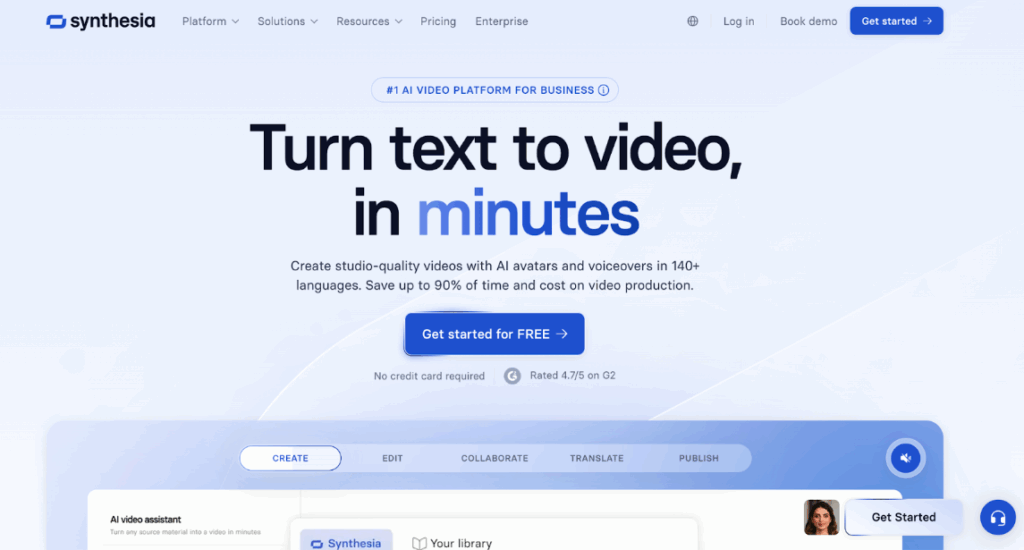
Synthesia is an AI video platform that creates presenter-led videos using digital avatars and synthetic voices using a script. It is designed for teams that need to create training videos without cameras, studios, or voiceover talent.
It is widely used for employee training, onboarding, internal communications, and product education. L&D teams use it to turn scripts into quick training videos, update content without re-recording, and create videos when SMEs or presenters are unavailable.
Synthesia Key Features
- Text-to-video creation with AI presenters
- Large library of ready-made AI avatars
- Support for more than 100 spoken languages
- Video templates for training and explainer content
- Simple timeline editor for scenes and layouts
- Automatic captions and basic accessibility options
- Branding options such as fonts, colors, and layouts
- Collaboration features for comments and review workflows
Synthesia Pricing
Synthesia pricing starts at $18 per user per month (billed annually).
Jasper
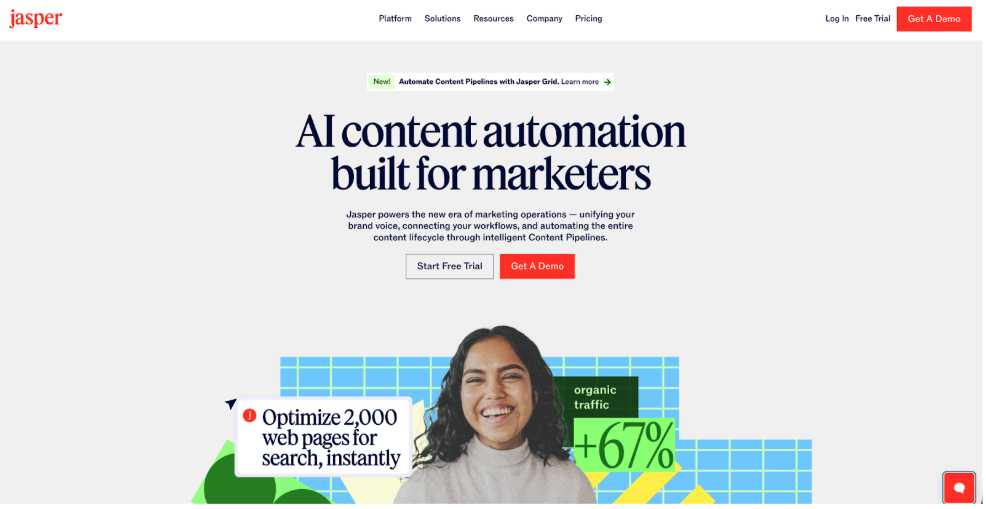
Jasper is an AI writing software built for content and marketing teams. It helps create blog posts, emails, ads, social posts, and other written assets with a consistent tone.
Learning and Development (L&D) teams can use Jasper to draft course descriptions, lesson outlines, video scripts, facilitator guides, internal announcements, and follow-up emails. It works well when multiple people need to create content that maintains brand consistency across different regions and languages.
Jasper Key Features
- Templates for blogs, emails, ads, social posts
- Brand Voice feature for consistent tone across content
- Support for 25+ languages for global audiences
- Collaboration tools for teams creating content together
- Plagiarism and grammar checks for cleaner drafts
- AI image suite for basic on-brand visuals
- Integrations with SEO and content workflows
Jasper Pricing
Jasper’s Pro plan starts at $59 per user per month (billed annually).
Learnosity AI
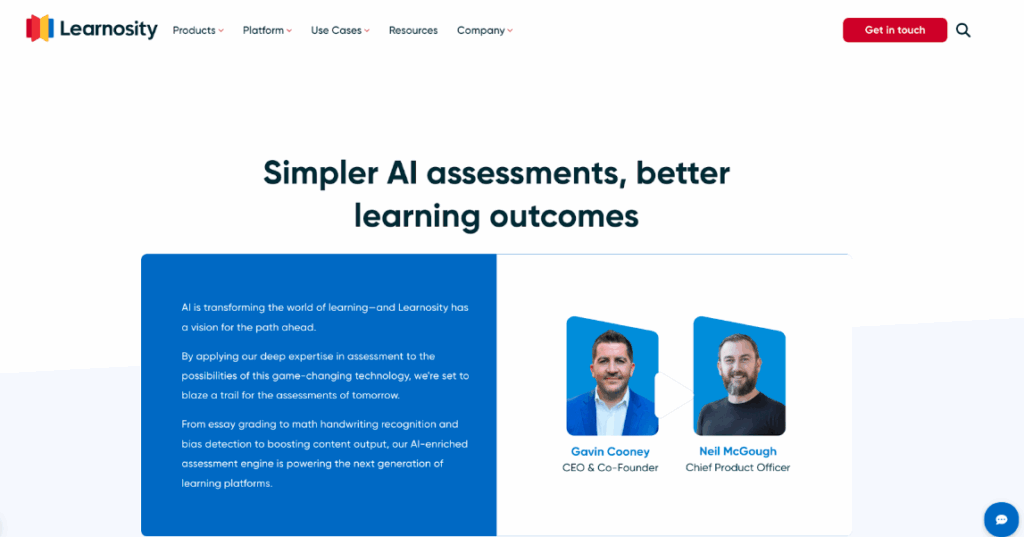
Learnosity AI is an assessment engine that provides API tools for building digital tests, quizzes, and exams. It’s designed for organizations that want to add advanced assessment features to their existing learning platforms instead of buying a separate testing system.
L&D teams typically access Learnosity through an internal platform or vendor integration. It works best when you need configurable assessments at scale, with AI support for question generation, multi-language content, and automated feedback.
Learnosity AI Key Features
- AI-assisted authoring for questions and item banks
- Support for 50+ interactive question and task types
- Adaptive testing that adjusts difficulty in real time
- Multi-language item creation and translation support
- APIs to embed assessments in existing platforms
- Analytics on performance, items, and test behavior
- Accessibility features for inclusive, standards-aligned assessments
- Enterprise-grade security, scalability, and uptime guarantees
Learnosity AI Pricing
According to a third-party source, Learnosity AI pricing starts at $50,000 per year, with higher tiers priced based on user volume and API usage.
BetterUp
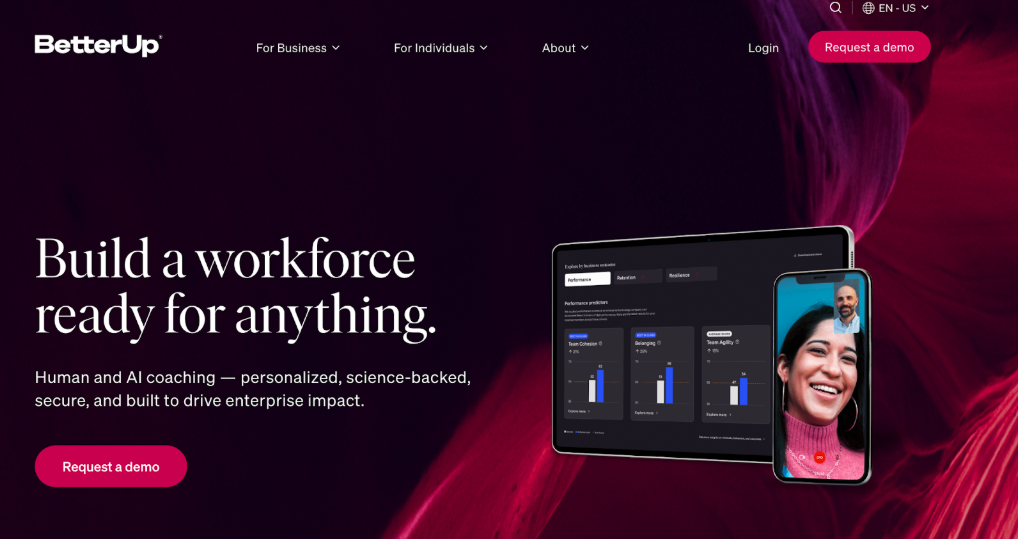
BetterUp is a human transformation platform that combines AI coaching, human coaches, and behavioral science to drive workforce performance. It focuses on leadership development, manager effectiveness, employee wellbeing, and resilience training at enterprise scale.
BetterUp serves organizations looking to develop leaders, managers, and employees through personalized coaching journeys. It’s built for enterprises that need scalable development programs with measurable ROI, not just one-time training events.
BetterUp Key Features
- AI chat and voice coaches for on-demand employee support
- AI-powered activities for skill-building like role-playing and values exploration
- AI-driven insights that help human coaches work more effectively
- AI coaches that give every employee personalized, contextual guidance
- Analytics on engagement, skills, and program impact
- Integrations with tools like Slack and Microsoft Teams
- Support for leadership, manager, wellbeing, and resilience programs
BetterUp Pricing
BetterUp offers custom pricing plans. You can visit their website for more information.
Otter.ai
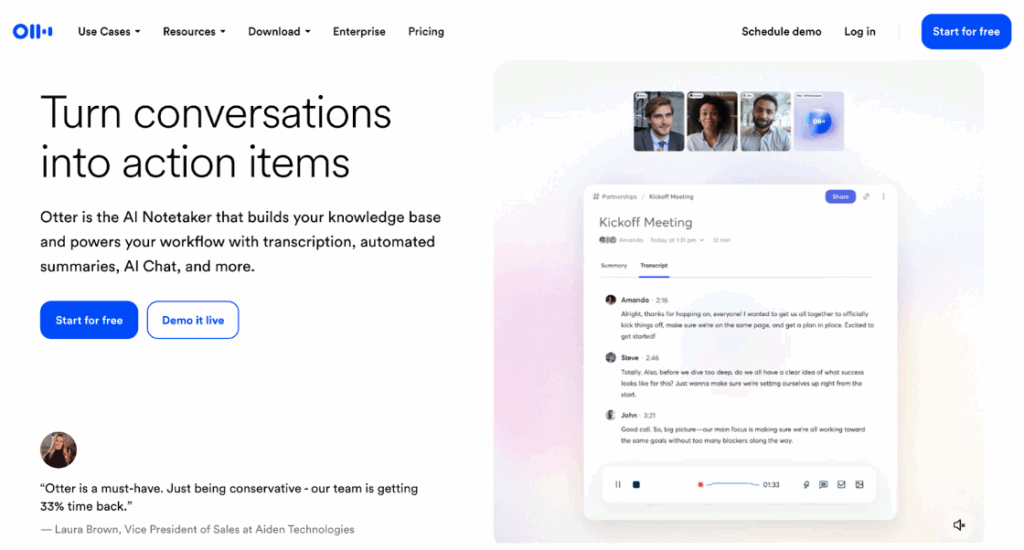
Otter.ai is an AI meeting assistant that records conversations, transcribes them in real time, and generates searchable notes and summaries. It connects to tools like Zoom, Microsoft Teams, and Google Meet.
For L&D teams, Otter.ai is useful for capturing sessions with Subject Matter Experts (SMEs), stakeholder meetings, and live training. You can use these transcripts for course outlines, job aids, or reference materials without relying on manual note-taking.
Otter.ai Key Features
- Real-time transcription for online meetings and calls
- Automatic meeting summaries and key point highlights
- AI chat to ask questions about past meetings
- Speaker identification and searchable transcript history
- Otter Meeting Agent to participate and respond in meetings
- Integrations with Zoom, Teams, and Google Meet
- Business features for teams, analytics, and admin control
Otter.ai Pricing
Otter.ai offers three plans (Basic, Pro, and Enterprise). Pricing starts at $8.33 per user per month.
Guru
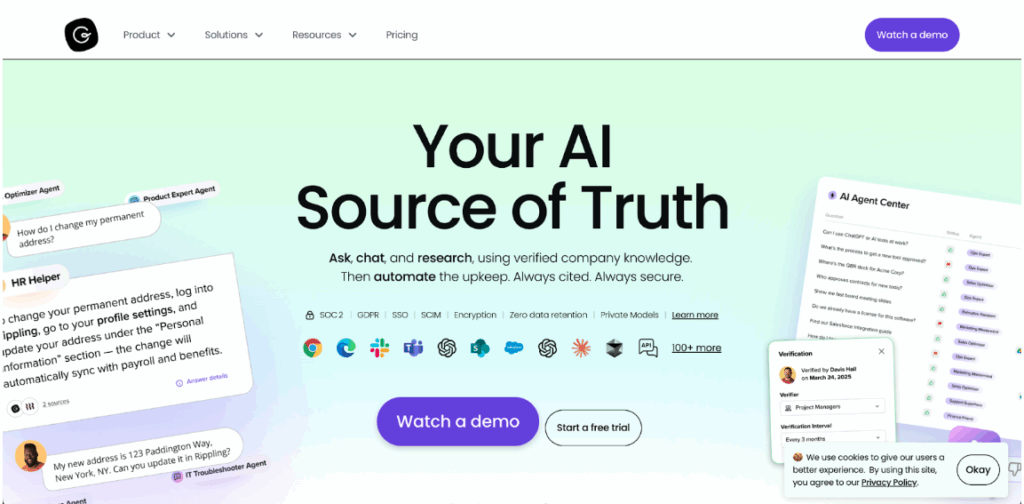
Guru is an AI-powered knowledge management platform that stores company information and delivers answers directly in the tools employees use. L&D teams can organize training materials, policies, job aids, and process documentation in one place, then make it accessible through chat, browser extensions, or integrated apps.
This reduces the volume of basic questions that land with L&D. Employees find answers to common questions in their workflow instead of submitting help requests or searching across multiple systems. L&D can focus on strategic work instead of answering repetitive “where do I find this” questions.
Guru Key Features
- AI search that finds answers across company content
- Knowledge cards are organized into collections, boards, and folders
- A browser extension that shows answers inside web tools
- Integrations with chat, CRM, and workplace applications
- Verification workflows to keep articles accurate and trusted
- Automated reminders to review and update key content
- Role-based permissions to control access to information
Guru Pricing
Guru pricing starts at $25 per seat per month.
Types of AI Tools for Learning & Development Teams
Here are the main types of AI tools L&D leaders often use, and the specific problems each solves:
AI LearnOps and Operations Platforms
AI LearnOps tools like Cognota focus on how L&D runs as a function. They support demand intake, prioritization, capacity planning, project tracking, and reporting.
AI LearnOps is useful when you need to decide what work to take on, what to defer, and how to align resources with business priorities.
Use Cases
- Centralizing training requests and approvals
- Planning work against team capacity
- Tracking delivery against business priorities
- Producing portfolio and impact reports for executives
Learning Management System & Learning Experience Platforms
AI-enabled LMS and LXP tools focus on delivery and engagement. They use AI to recommend content, personalize learning paths, and automate routine admin.
These tools are useful when you have a large audience, a broad catalog, and need to keep learners moving through the right content without manual curation.
Use Cases
- Skills-based recommendations
- Personalized learning journeys
- Automated reminders and nudges
- Multi-language delivery at scale.
AI Content & Copy Generation Tools
AI content tools speed up writing work for L&D teams. They help draft learning objectives, scenarios, facilitator guides, help articles, and learner communications.
They are useful when your team spends too much time on first drafts and formatting rather than on design quality and stakeholder alignment.
Use Cases
- Drafting course descriptions and emails
- Turning SME notes into structured outlines
- Adapting content for different audiences or regions
- Summarizing long documents into learner-friendly formats
AI Course Authoring & Curriculum Builders
AI course authoring tools convert raw material into structured learning experiences. They can suggest course outlines, build sections, and propose interactions or quiz items.
They help when you need to scale content creation across SMEs and internal experts, while keeping structure, tone, and quality consistent.
Use Cases
- Rapid creation of standard modules from source docs
- Keeping high-volume or evergreen training up to date
- Enabling SMEs to build or update content with guardrails
- Generating variants of the same course for different roles
AI Multimedia & Video Creation Tools
AI multimedia tools shorten the time from script to asset. They support video generation, avatars, voiceover, editing, and basic motion or screen capture.
Use Cases
- Turning scripts into short explainer videos
- Localizing narration across languages and accents
- Updating voiceover or visuals without reshooting
- Creating quick clips to support campaigns or performance support
AI Coaching & Behavioral Development Platforms
AI coaching tools leverage AI for personalized ongoing development rather than single events. They structure coaching journeys, track behavior change, and personalize nudges and reflection prompts.
They make the most sense when you are investing in leadership, management, or high-potential talent and need scalable support beyond workshops and one-off programs.
Use Cases
- Supplementing human coaching with always-on support
- Personalizing development plans at scale
- Tracking behavioral progress over time
- Linking coaching themes back to business priorities
AI Knowledge Management & Search Tools
AI knowledge tools surface answers from your internal content. They help employees ask natural-language questions and get precise responses backed by approved sources.
They are useful when your organization has a large volume of documents, playbooks, and recordings, and you want to reduce “where do I find this” friction.
Use Cases
- Answer employee questions without leaving their workflow
- Reduce repeated requests to L&D for the same information
- Help employees find policies and procedures faster
- Make existing learning content accessible outside of courses
AI Meeting & SME Capture Tools
AI meeting tools record and process meetings and SME sessions. They provide transcripts, summaries, decisions, and sometimes draft assets.
AI meeting tools are useful when key knowledge is shared verbally and then lost, or when your team spends a lot of time taking notes instead of engaging in the discussion.
Use Cases
- Capturing SME interviews for later use
- Summarizing design sessions and stakeholder reviews
- Turning meetings into action lists and reference material
- Building a library of real conversations to inform training
AI Assessment, Skills, & Evaluation Tools
AI Assessment tools support question generation, adaptive assessments, skills inference, and evaluation of impact. They are important when you need credible evidence of capability and performance, not just “course attendance.”
Use Cases
- Auto-generating quizzes from existing content
- Running adaptive tests that adjust difficulty
- Mapping skills at the team or organizational level
- Connecting learning data to performance or business outcomes
AI Analytics & Insight Tools
AI analytics tools pull data from multiple systems and surface patterns and risks. They focus less on content and more on insight. They are valuable when you need to answer portfolio-level questions.
For example, which programs matter most, which audiences are underserved, and where spend is not matched by impact.
Use Cases
- Combining data from LMS, HR, LearnOps, and assessments
- Identifying at-risk groups or low-impact programs
- Supporting investment and resourcing decisions
- Providing executive dashboards with defined narratives
How L&D Managers Can Choose the Right AI Tools for Their Operations
When choosing L&D software, start with your biggest problem and your team’s current needs. Here’s how to choose the right tools:
Start with the Primary Problem
Before you compare platforms, identify the main problem you need to solve.
- If you struggle with unstructured demand, choose a tool with standardized intake, routing, approvals, and basic analytics.
- If you can’t keep up with content needs, choose tools that turn documents, notes, and expert input into draft courses and assessments.
- If learning is spread across systems, choose tools that give you a central view of content, search, tagging, and recommendations.
- If you need clearer evidence of impact, choose tools that connect request, project, and program data and link work to business outcomes.
Enterprise companies with 5,000+ employees often face all of these problems at once. We built Cognota to solve these operational challenges for L&D teams in one platform. Companies like State Farm, Sun Life, and Goodyear use Cognota to transform L&D operations from reactive to strategic. Book a demo to see how it can do the same for your organization.
Match the Tool to your L&D Size and Complexity
Your team’s size and operational complexity should guide your choice. Here’s what works at each stage:
Organization Type | What to Choose |
Small or emerging L&D teams (50-500 employees) | Simple AI tools for authoring, video, transcription, and search. Focus on tools that speed up content creation and reduce manual work. Most small teams don’t yet need formal intake processes or capacity planning. |
Mid-size L&D teams (500-2,500 employees) | Start adding structure with intake and project tracking tools. You’re likely getting more requests than you can handle and need better visibility into workload. Add AI authoring and video tools to keep up with content demand. |
Enterprise L&D teams (2,500-5,000 employees) | Implement a LearnOps platform like Cognota for demand management, capacity planning, and portfolio reporting. Combine this with AI authoring tools, video creation platforms, and knowledge management systems. You need multiple tools working together to handle volume and complexity. |
Large enterprise L&D teams (5,000+ employees) | Fully integrated stack: LearnOps platform for operations, LMS/LXP for delivery, AI authoring and video tools for content, assessment platforms for testing, and analytics tools for insights. You’re managing multiple business units with different needs and require governance across all of them. |
Content-heavy organizations | Focus on AI tools that speed up course updates, video creation, and content search. You likely have hundreds or thousands of existing assets that need regular updates. Strong metadata and search capabilities are essential. |
Data, Integration, and Security
AI tools need to fit your existing environment. Before you commit, verify three things:
- The tool connects to your core systems (LMS, HR platforms, collaboration tools)
- It can access your internal content without exposing sensitive data
- The vendor provides clear documentation on security, data retention, and how they use AI models
If you can’t get straight answers on any of these, you’ll likely face integration problems and security gaps down the road.
Test Usability
A tool might seem like a perfect fit in a demo but fall apart when your team uses it. During your trial:
- Have your L&D team build something real and track how long it takes
- Give a subject matter expert access without instructions and see if they can complete basic tasks
- Watch a small group of learners use it and note any confusion or access issues.
If your team needs constant workarounds to make it work, it won’t scale.
Bottom Line
Most AI tools for L&D focus on content or learners. They don’t address the operational issues L&D teams actually struggle with, such as unstructured intake, limited capacity visibility, and scattered reporting.
Cognota offers a purpose-built LearnOps platform. You get one system that connects requests to delivery to ROI. Teams can plan capacity in real time, prioritize work based on business goals, and generate executive reports that show clear program value. Work moves from scattered and reactive to organized, predictable, and strategic.
Ready to turn your L&D function into a strategic operation? Book a demo to see how Cognota gives you the visibility, control, and data executives expect.