
Cognota: Your Training Request Form Solution
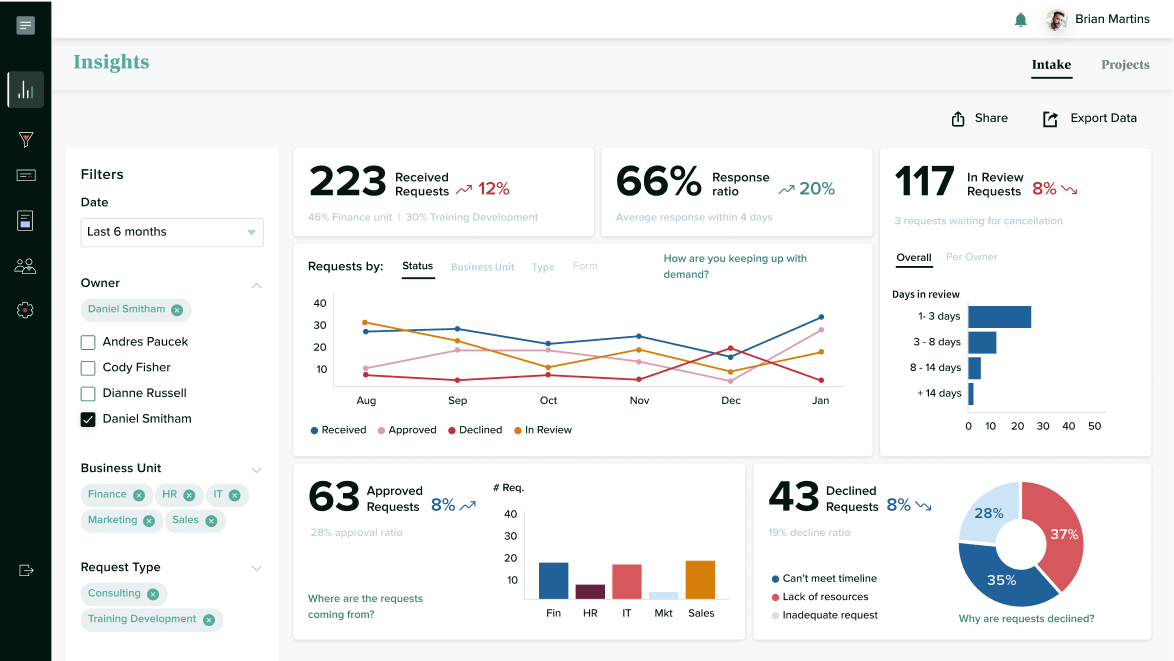
Download your training request form PDF or try Cognota, the learning operations software that lets you build and share training intake forms, as well as use planning, collaboration, design and insight features.






FAQs About Using Cognota for Training
Request Forms and Inake
There’s no limit. You can create as many form templates as you need, and receive an unlimited number of training requests through the portal.
Yes! How you distribute the link to your intake portal is entirely up to you. You can limit training request submissions to select business partners or allow all employees to submit requests to your department.
You can add multiple question types to your training analysis templates and request forms. These include multiple choice, text boxes, radio buttons and more. You can even enable requesters to upload files and include URLs with their training requests.
| Cookie | Duration | Description |
|---|---|---|
| cookielawinfo-checbox-analytics | 11 months | This cookie is set by GDPR Cookie Consent plugin. The cookie is used to store the user consent for the cookies in the category "Analytics". |
| cookielawinfo-checbox-functional | 11 months | The cookie is set by GDPR cookie consent to record the user consent for the cookies in the category "Functional". |
| cookielawinfo-checbox-others | 11 months | This cookie is set by GDPR Cookie Consent plugin. The cookie is used to store the user consent for the cookies in the category "Other. |
| cookielawinfo-checkbox-necessary | 11 months | This cookie is set by GDPR Cookie Consent plugin. The cookies is used to store the user consent for the cookies in the category "Necessary". |
| cookielawinfo-checkbox-performance | 11 months | This cookie is set by GDPR Cookie Consent plugin. The cookie is used to store the user consent for the cookies in the category "Performance". |
| viewed_cookie_policy | 11 months | The cookie is set by the GDPR Cookie Consent plugin and is used to store whether or not user has consented to the use of cookies. It does not store any personal data. |